
Digital Technologies in the Classroom
Evaluating Technologies for the Classroom
(Week 6)
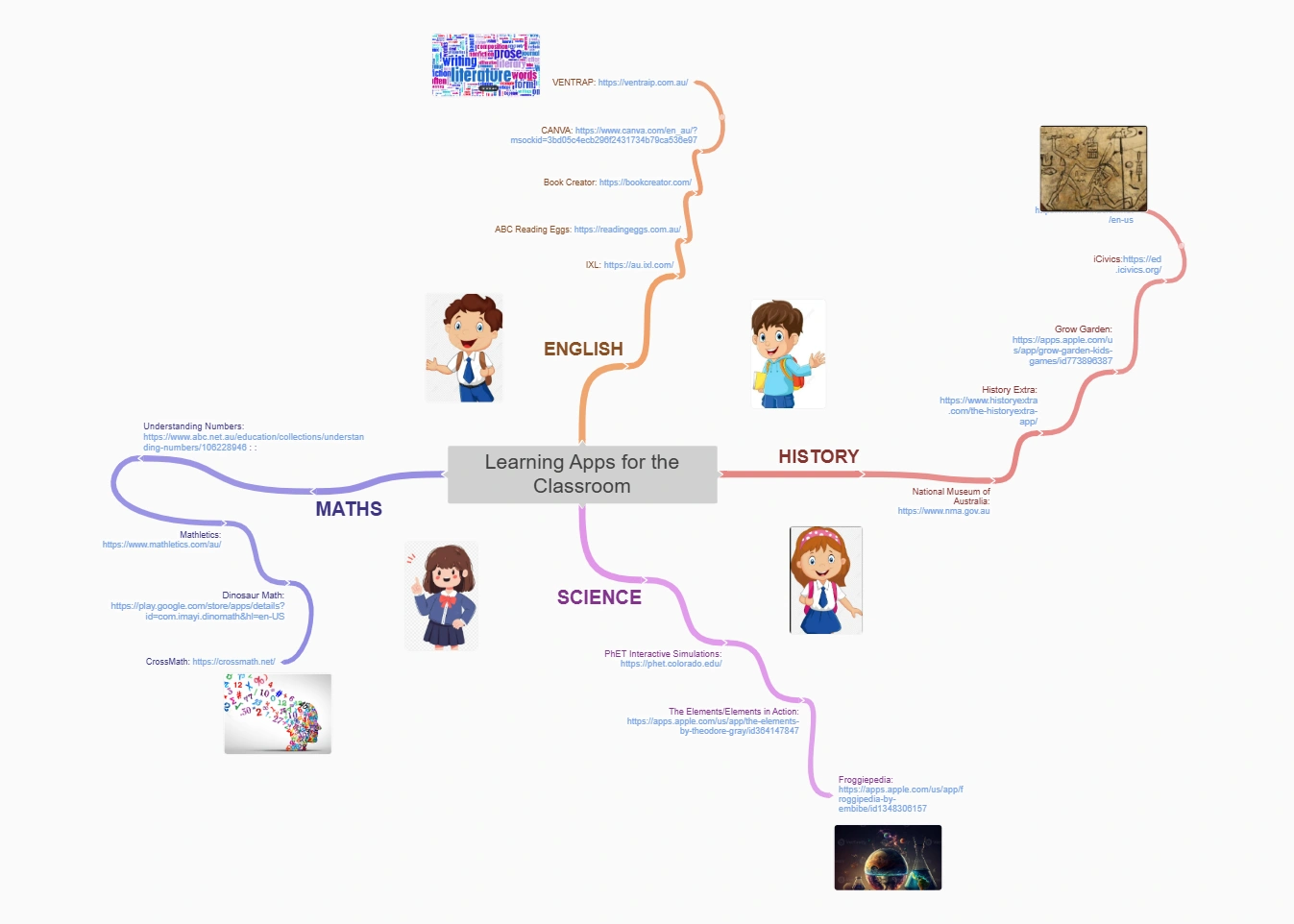
Concept Map of Apps and Software for Use in the Digital Classroom

Review of Book Creator App
Please note: A PDF file of the concept map has been included because my link to the Coggle site has proved unstable.
This post is going to evaluate the online App Book Creator and consider its useability, student engagement, flexibility, support materials and suitability for use in the classroom (Eady & Lockyer, 2013. P 19). This App can be used by students of all ages and literacy levels to create digital books they can share online or print as ePub or Pdf files. Students can create books individually or collaboratively and complete templates or workbooks already created by the teacher. Unfortunately, no templates for students or teachers are provided in the free version of the App. Extensive online ‘How To” resources are provided through an online search window that can be accessed by students while working within their project. These instructions provide step by step written and visual instructions; however, no electronic quick starter guide or reference is available. As result, teachers would need to develop templates or instructions to guide students who do not have the digital literacy to operate the App through intuition. This lack of templates and student guides may deter teachers from using this resource because of time needed to establish the activity resources, the online platform and files.
The Book Creator App, however, once the class library and student files are established is easy to use, engaging and interactive. The layout and creation tools are also intuitive and for those students who are digitally literate intuition will make book creation seamless and engaging. However, younger students or those with low levels of digital literacy will need guidance as no prompts are provided. This can be overcome though the use of teacher generated instructions, templates or workbooks that guide students to ensure they meet the task requirements. Differentiation can also be included through teacher generated templates and workbooks to meet the learning needs of all students. Visually, the site is simple without distracting links, moving or still images and advertising which is conclusive to student focus and engagement. Despite the simplicity of the site higher order thinking by students is encouraged because there are no templates unless they are provided by the teacher. This results in students using prior knowledge and intuition to explore, experiment and be creative in their eBook creation.
The teacher dashboard that supports the class library and student files is the part of the Book Creator App that makes the development of class projects worthwhile for both teachers and students. Teachers can determine if projects are to be individual tasks or collaborative., see student progress and provide ongoing feedback. They can also view and moderate student interactions and communicate with individual students or groups instantly through the dashboard in real time. Students within parameters set by the teacher can see and comment upon work of their peers’ individual tasks; work on collaborative tasks in real time and publish and share their complete projects. Accessibility
Despite the limitations of Book Creator, it provides a platform from which creative and collaborative cross curricular activities can be explored. For example, an assessment in tourism that required students to plan the itinerary and budget for family holiday could work with their maths teacher on this component of their assessment in maths class. This work would be completed in a workbook created through collaboration between the tourism and maths teacher. The App’s Dashboard would allow both teachers to see the task requirements, communicate through the dashboard to maximise the task and learning potential of the task, monitor student progress and provide live and ongoing feedback. The design and operation of the site also ensure student engagement because the provide a blank digital canvas which provides students with the digital intuition a platform .to be creative and express themselves. But most importantly, it also provides a means for scaffolded and differentiated tasks to maximise engagement, creativity and learning.
Bibliography:
Eady, M. J. & Lockyer, L. 2013, 'Tools for learning: technology and teaching strategies', Learning to Teach in the Primary School, Queensland University of Technology, Australia. pp. 71.

Rationale to support Concept Map of Apps and Software for use in the classroom
Never having used mind mapping sites I chose Coggle because it was very similar in layout and operation to the Explain Everything website used for an earlier task. I am happy with my choice and would use the site again. When searching for Apps and sites for my mind map, I started with the class readings and then moved to google web searches driven by intuition and knowledge gained as I searched.
Rationale to support Review of Book Creator App
My KLA is English and when searching for an App to analyse I was mindful of the curriculum requirement for students to use digital tools “to create and edit digital and multimodal texts” (ACARA). I was also aware that students in Yr7-10 in Australian schools prepare a short story for one of the English assessment pieces. As a result, I was seeking an App which would allow true modification of this task rather than just the substitution of pen and paper with a word processor. I was also seeking an App that would enhance engagement and meets the many different learning needs and styles of students in my classroom.
The Book Creator App caught my eye for several reason including the intuitive layout and functionality of the platform. The need to provide opportunities for higher order thinking was also clear in the way this App worked because it allowed students to start from scratch rather than use stereotypical templates. Finally, the accessibility features built into the App such voice to text also made the App attractive to ensure the diverse learning needs of my students are met.
Ethical and Legal Concerns
When setting up for lessons in commercial apps or those outside the school servers' teachers must ensure that students do not have to provide information that means that can be identified to access. Teachers must also make sure that work produced by students cannot be accessed by those without permission or the school community.